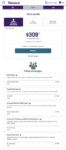
You can make an Ally Auto payment online or in the app for free using your bank account, or pay by phone, text, mail, or at third‑party locations with small fees in some cases.
Main Ways to Pay Ally Auto
- Online (website): Log in at secure.ally.com or start from Ally’s auto page and sign in to your account. In your Snapshot, select your vehicle and click Make a Payment, then pay from your checking or savings account using your routing and account numbers (no Ally fee).
- Mobile app: Use the Ally: Bank, Auto & Invest app on iOS or Android, go to your auto account, and choose Make a Payment to send a one‑time payment, schedule a future payment, or cancel a pending one.
- Auto Pay: From the Payments menu online, you can enroll in Auto Pay to have your monthly payment automatically drafted from your bank account on your due date each month.
Debit card, phone, text, and mail
- Debit card (online): You can make a one‑time debit card payment through CheckFreePay, a third‑party service that charges a $3.75 fee in addition to your payment amount.
- By phone:
- By text: If you enroll in eligible alerts, you can reply PAY to the reminder text Ally sends about 7 days before your due date to submit a payment from your saved bank account.
- By mail: Send a check or money order with your vehicle account number to:
Payment Processing Center, P.O. Box 71119, Charlotte, NC 28272‑1119. - In person (third‑party): You can pay at MoneyGram or Western Union locations that support Ally Auto; additional agent or service fees apply.
You can also use your own bank’s online bill pay by adding Ally Auto as a payee and using your vehicle account number, which many people like for consolidating all bills in one place.
Important payment details
- Extra / principal payments: You can send extra money with a regular payment to pay the loan down faster, but Ally applies funds to fees and interest first, then principal.
- Payoff quote: To pay off your auto loan completely, log in and select View Payoff Quote under the Payments menu to see the exact payoff amount and the date it’s valid through.
- Late payments & extensions: Auto loans often include a short grace period (commonly 10–15 days in the market), but timing and late fees depend on your actual Ally contract. If you’re struggling, Ally offers payment extensions that can defer one or more payments while interest continues to accrue; you can review details and request an extension through the Help Center or by calling Ally.
Quick FAQ about Ally Auto payments
How do I make an Ally car payment online?
Log in at secure.ally.com, open your vehicle in the Snapshot, and select Make a Payment to pay from your checking or savings account at no Ally fee.
How do I make a payment in the Ally app?
In the Ally app, tap your auto account, then tap Make a Payment, pick the bank account you want to use, choose the amount and date, and submit; you’ll get an on‑screen confirmation.
Does Ally Auto accept debit card payments?
Yes, but only through CheckFreePay for a one‑time online debit card payment, and there’s a $3.75 third‑party fee.
How many days late can I be on an Ally Auto payment?
Ally doesn’t publish one universal grace‑period rule; your contract controls that. Many auto loans in the U.S. use a 10–15 day grace period before late fees, but you should check your Ally loan documents or call support to confirm your exact terms.